




|
Quantity
|
Cost
|
||
|
|
|||
Touch Panels and TRIAC Dimmers for Lighting Control
A touch panel controls lighting by touch, while a TRIAC dimmer changes the brightness of compatible LED fixtures. The panel sends the command and the dimmer regulates the load. For stable operation, check the driver type, dimming method and compatibility.
Short answer: a touch panel controls light by touch, while a TRIAC dimmer changes the brightness of an LED fixture with a compatible driver. Do not connect a 12V/24V LED strip directly to a TRIAC dimmer.
Touch panel or TRIAC dimmer
| Device | Function | Purpose |
|---|---|---|
| Touch panel | Sends a command by touch | On, off and sometimes dimming |
| TRIAC dimmer | Controls the AC phase | Dims a compatible mains LED fixture |
| LED controller | Controls a low-voltage output | Dimming and colors for 12V/24V LED strips |
Important: a “dimmable” label does not guarantee compatibility with every TRIAC dimmer. Check the phase-control type and load range.
How a touch panel works
A panel responds to touch and sends a command to a relay, dimmer or controller. Before installation, check the voltage, load type, compatibility and wall-box size.
How to connect a TRIAC dimmer
Switch off the power, connect the live wire and load according to the manufacturer's diagram, and stay within the rated power. Flicker or buzzing usually indicates driver incompatibility or the wrong phase-control type.
Frequently asked questions
Can an LED strip be connected to a TRIAC dimmer?
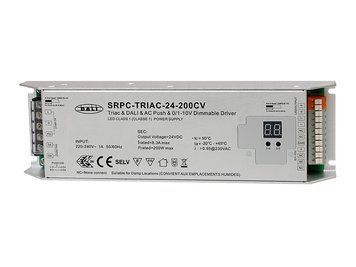
Not directly. A strip needs a power supply and a low-voltage dimmer or controller. TRIAC can control the system only through a compatible dimmable power supply.
Why does a TRIAC dimmer cause flicker?
The usual cause is an incompatible driver, the wrong phase-control type or insufficient minimum load.
Conclusion
A touch panel sends commands, while a TRIAC dimmer controls the brightness of a compatible mains LED fixture. A 12V/24V strip needs a power supply and low-voltage controller. Check the driver, dimming type, power and neutral connection before installation.
ARTLED can help you choose a touch panel, TRIAC dimmer, driver or controller for your lighting system.